I Connected Canva to Claude Cowork and Asked It to Build a Campaign from a Brief. Here's What It Produced.

There's a gap between having a campaign brief and having campaign assets. The strategy is written, the audience is defined, the creative direction is agreed, and then someone still has to open Canva, find the right templates, build each format, resize for every placement, and do it again for the next deliverable.
This week I tested whether Claude Cowork could close that gap using the Canva connector. Not by exporting templates. Not by describing designs. By reading a real campaign brief and creating fully editable Canva designs from it, at the correct dimensions for each platform, and saving them directly to a Canva account.
The Setup
The Canva connector is available in Cowork's Connectors panel. One click, one authorisation screen, and it's live. No API keys, no developer configuration.

For the brief, I used the Bloom Skincare Co. Spring Refresh 2026 campaign document from my Marketing Agency folder — a fictional skincare brand with a defined budget, target audience of women 18-34, KPIs, and creative direction built around a clean, fresh spring aesthetic with soft pinks, greens, and whites.
The Prompt
One instruction:
"Using the Canva connector, create social media graphics for Bloom Skincare Co.'s Spring Refresh 2026 campaign. Read the campaign brief from my Marketing Agency folder first. Then create: 3 Instagram carousel slides (1080x1080px), 1 Instagram Story (1080x1920px), and 1 Facebook Ad Creative (1200x628px). Spring colour palette. Women 18-34. Clear headlines and CTAs on every format. Save all designs to my Canva account."

Specifying the pixel dimensions for every format is important. It removes ambiguity and means the designs land in Canva at the right size without any manual resizing after.
What Happened
Before touching anything, it asked for folder access. Not assumed a path, not read without asking — explicitly requested permission via a folder picker dialogue.
It read the brief, loaded the Canva tools, and then said something I didn't expect:
"Campaign brief is in. Now generating all designs simultaneously."
Not sequentially. Not one format at a time. All five at once.

Slide 1 candidates appeared first: blush pink, floral, typographic. 'Your Skin's Spring Reset Starts Now.' Three design options. Then Slide 2 with 'Hydrate. Protect. Glow.' and a product benefit layout. Then Slide 3, the Instagram Story, and the Facebook Ad — all generating in parallel at the correct dimensions for each format.
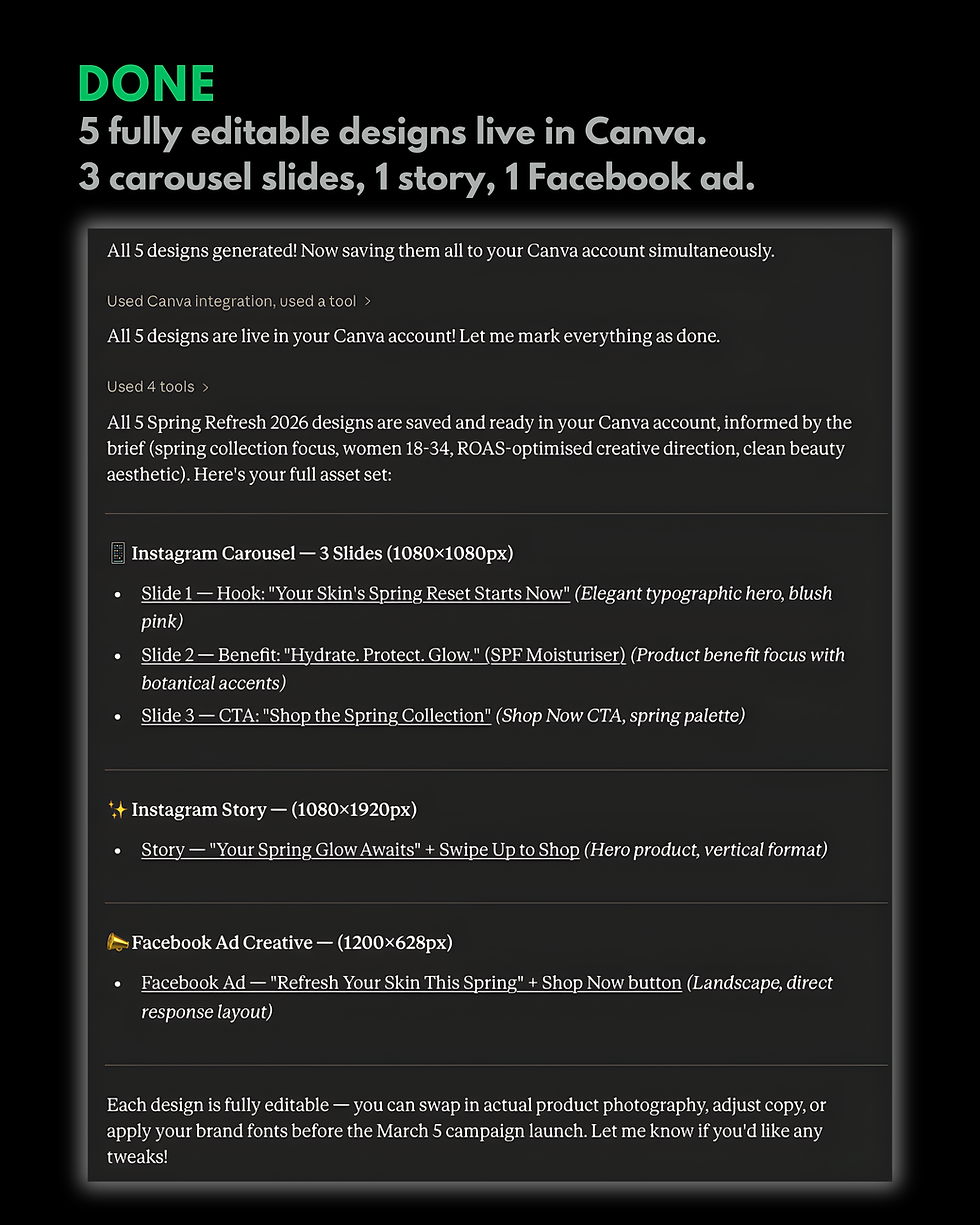
When all five were ready: "All 5 designs generated. Now saving them all to your Canva account simultaneously."
Permission was requested before each save. One approval per design. Five approvals, five saves.
The final confirmation: "All 5 designs are live in your Canva account."
The Asset Set
Instagram Carousel — 3 Slides (1080x1080px)
Slide 1: 'Your Skin's Spring Reset Starts Now' — typographic hero, blush pink, botanical elements
Slide 2: 'Hydrate. Protect. Glow.' — product benefit focus, botanical accents
Slide 3: 'Shop the Spring Collection' — Shop Now CTA, spring palette
Instagram Story (1080x1920px)
'Your Spring Glow Awaits' + Swipe Up to Shop — hero product, vertical format
Facebook Ad Creative (1200x628px)
'Refresh Your Skin This Spring' + Shop Now button — landscape, direct response layout
All informed by the campaign brief. All on-brand. All the right sizes.

What Made This Work
Three things distinguished this from what I expected.
The brief informed the designs. Claude read the creative direction, colour palette, audience, and tone from the actual campaign document before generating anything. The designs reflected the brief rather than generic skincare aesthetics.
Everything generated simultaneously. All five formats kicked off in parallel rather than sequentially. For a full campaign asset set, the time saving across formats is meaningful.

Designs saved directly to Canva with permission at every step. They went straight into the account as live, editable files. No download folder, no export process, no manual upload. And every save required explicit approval.
Honest Assessment
The designs are starting points, not finished assets.
Before going live they need real product photography, actual brand fonts, refined copy, and a designer's eye checking the visual hierarchy at the sizes where they'll actually be seen. The stock imagery Canva generated doesn't represent a real product, and that matters for a campaign where the product is the point.
Brand consistency is also a real consideration. Without a brand kit loaded in Canva or specific hex codes in the prompt, Claude makes informed but generic decisions about colour. For a brand with a tightly defined visual identity, that brief needs to be more specific.

What this workflow does well is the part that takes the most time for the least creative reward: going from a strategy document to five correctly sized, on-brief, editable Canva designs. That step usually requires a competent designer spending a few hours on template selection, layout adjustment, and format resizing. Cowork handled it in minutes.
What This Changes
The creative judgment still belongs to the human. The brief still has to be written by a human. The final designs still need a human eye before they go anywhere near an audience.
What changes is where the time goes. Instead of spending the first few hours of a campaign production day building and resizing templates, you spend them on the decisions that require expertise: selecting the right design direction from the candidates, refining the copy, making the brand-specific adjustments that no brief fully captures.
That shift — from assembly to refinement — is where the practical value is for anyone running client campaigns regularly.
This would normally be a half-day job for a designer. Brief to complete first draft in minutes.



Comments